








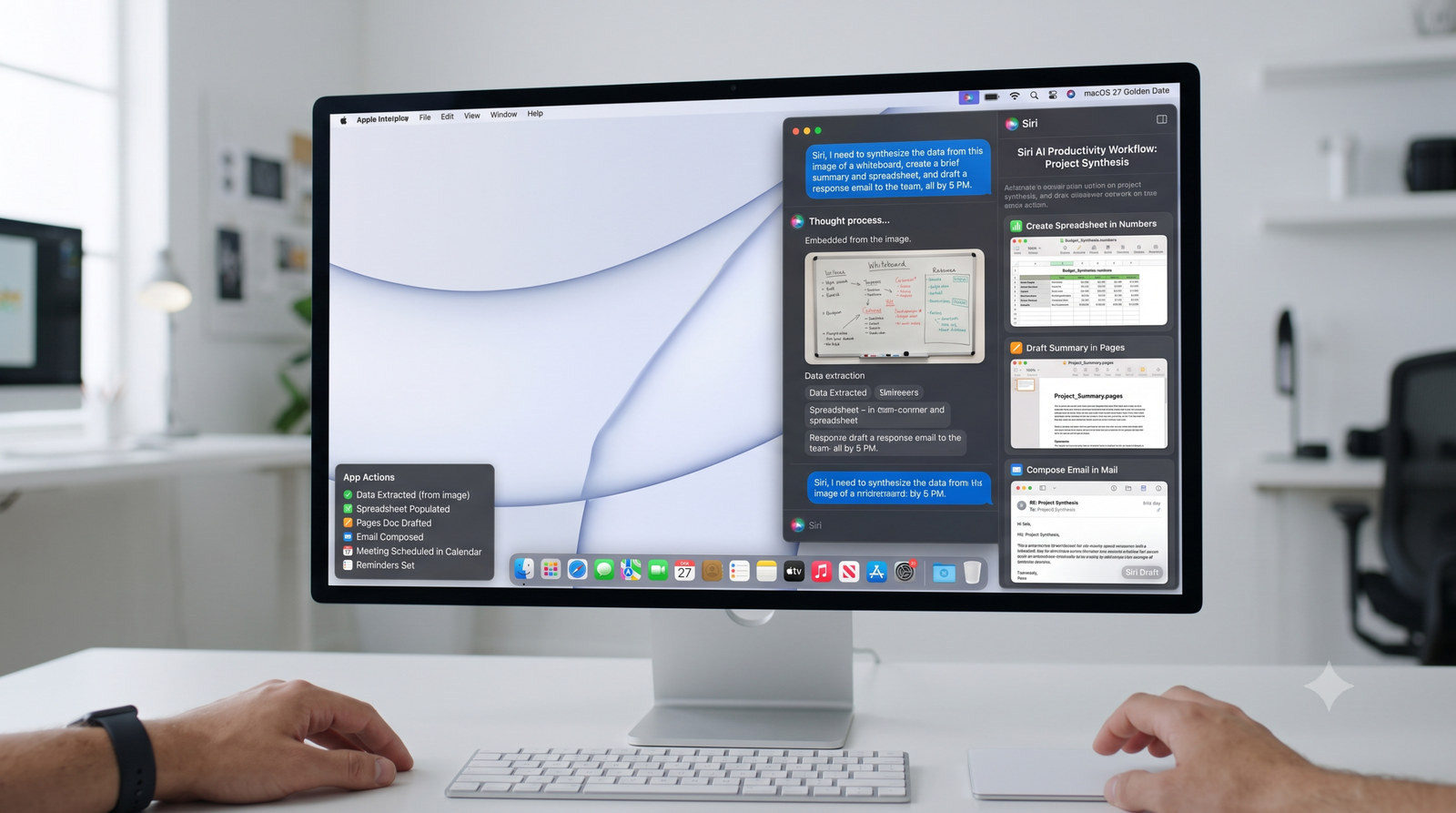
Apple is giving the Mac a much bigger AI upgrade with macOS 27 Golden Gate, putting the redesigned Siri at the heart of everyday desktop productivity.
While the update introduces a more consistent visual design and several quality-of-life improvements, the biggest change is Siri AI. The assistant can now understand what you’re working on, search information across personal content, help with writing, and interact with what’s visible on the screen.
The result puts Siri in more direct competition with the growing number of AI productivity tools designed to understand a user’s desktop context.
Siri Can Now Understand What’s on Your Screen
AI assistants inside browsers and productivity applications have increasingly gained the ability to analyze open webpages and windows. macOS 27 brings a similar concept directly into the operating system.
Users can summon Siri from virtually anywhere and ask questions about the information currently visible on their Mac.
For example, while researching a product online, you could ask Siri to identify alternatives without manually copying product details into another AI application.
Apple’s Visual Intelligence features provide even more control. Users can share an active window with Siri or select a specific area of the screen for analysis.
Depending on what’s selected, macOS can also suggest contextual actions such as searching for information, adding contact details, or looking up a location.
Spotlight Becomes Much More Powerful
Spotlight Search also receives a significant upgrade.
Instead of functioning primarily as a launcher and file-search tool, Spotlight can now provide AI-powered answers and help users search specific categories such as applications, files, actions, and clipboard content.
Shortcuts can also be launched directly through Spotlight, while recent searches are easier to revisit.
The deeper Siri integration makes searching personal information particularly useful. Because Siri can work with files, emails, and messages, users can ask questions about information stored across their Mac without manually opening multiple applications.
That could mean finding a membership number hidden inside a document, retrieving information about an upcoming trip, or locating details from an email conversation.
Siri Becomes a Built-In Writing Assistant
Desktop computers remain one of the primary places where people create long-form content, and Apple is using Siri to bring generative AI directly into that workflow.
Users can select text and ask Siri to proofread, improve, summarize, or rewrite it.
Siri can also generate new content directly inside supported text fields.
These capabilities could reduce the need to constantly switch between a document and a separate AI chatbot when writing emails, reports, articles, or other content.
Safari Gets Smarter Too
Safari is receiving its own productivity upgrades.
A new AI-powered page-monitoring capability can track webpages for changes. That could be useful for watching product prices, following blog updates, or monitoring changes to policies when an RSS feed isn’t available.
Safari can also automatically organize tabs by topic, helping users manage crowded browsing sessions.
Finder introduces another small but practical AI feature: contextual filename suggestions when downloading, renaming, or saving documents.
A More Consistent macOS Design
Beyond AI, macOS 27 Golden Gate expands Apple’s Liquid Glass design language.
Windows receive more consistent corner styling, sidebars extend further across interfaces, active windows are easier to identify, and colorful icons appear throughout the operating system.
Users can also adjust the intensity and transparency of the Liquid Glass appearance.
Other additions include stronger child-safety controls, improved Mail search, shared cross-platform photo albums, better object removal in images, enhanced iPhone Mirroring app resizing, and intelligent suggestions for adding events to Calendar.
Apple Is Turning macOS Into an AI Workspace
The significance of macOS 27 isn’t simply that Siri has become smarter.
Apple is embedding AI directly into the operating system, where it can understand screen content, work with personal information, assist with writing, search across applications, and trigger actions.
Standalone AI productivity applications may still offer more specialized capabilities, but Apple’s biggest advantage is integration.
With macOS 27, Siri is evolving from a voice assistant into an AI productivity layer built directly into the Mac.